Socotra Assistant Setup Guide
Socotra Assistant is an AI-powered sidebar built into the Operations Workbench. It gives underwriters a set of AI-powered actions that handle the repetitive parts of the quote-to-bind workflow. It is a mature, setup-based capability that requires no code changes in order to be enabled within a customer’s Socotra tenant.
During onboarding, Socotra will ask the customer to provide information about the types of documents that they want to extract data from, their underwriting risk assessment criteria, document templates, and underwriting summary template. Once all the relevant information is obtained from the customer, the Socotra AI team will typically complete setup within one week.
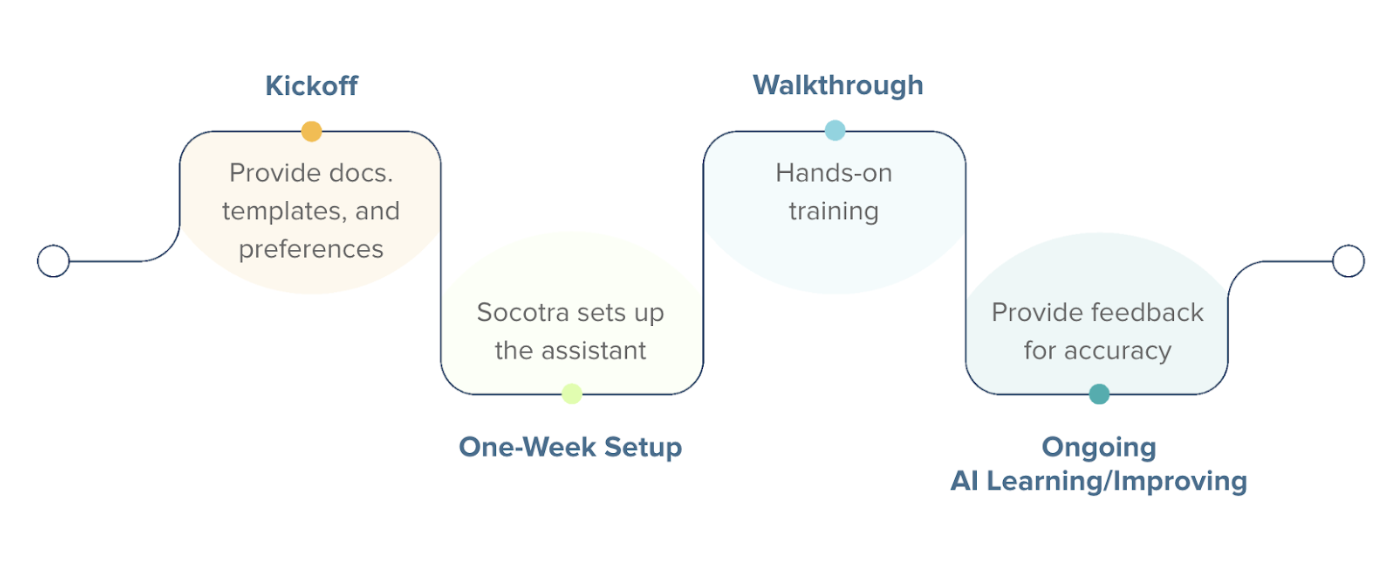
Onboarding Timeline Summary
Prerequisites
Before onboarding, customers must have an active Socotra tenant with a complete product configuration defined. If this prerequisite is not met, customers should contact their account executive to set up the tenant and complete product configuration before proceeding with the Socotra Assistant onboarding.
Note
Socotra Assistant is not enabled by default. The feature is controlled by a feature flag that will be enabled by the Socotra team during the onboarding process after environment selection is confirmed.
Onboarding Process
Step 1: Information Collection
The Socotra team will schedule a kickoff meeting with the customer to gather requirements for feature enablement and setup. The following information will be collected:
Environment Selection & Setup
Rollout strategy: Enable for all users within the tenant or limit to a smaller group initially? If limiting access, identify which specific roles and users should have access to the assistant panel so permissions can be configured appropriately.
Document Extraction
Document types to be processed. We currently support the following file formats: .pdf, .png, .jpg, .jpeg, .tif, .tiff, .csv, and .txt.
Requirements for mapping extracted fields to the customer’s product configuration and data model defined in their Socotra tenant.
Underwriting Risk Assessment
Obtain the customer’s underwriting risk assessment criteria document
Critical vs. non-critical criteria categorization
Draft Documents
Document templates (exclusion form, request for information, and underwriting summary are currently supported)
Step 2: Setup (1 Week)
The Socotra team will enable the feature flag for the selected environment(s) and configure the Assistant based on the requirements gathered during the kickoff meeting. This process typically takes one week and includes:
Feature flag enablement
Document extraction prompt training and field mapping
Risk assessment criteria upload
Load document templates
User access and permissions configuration
Internal testing and validation
Step 3: Walkthrough & Training
After setup is complete, the Socotra team will lead a walkthrough session with the customer to demonstrate the Assistant capabilities, provide training on accessing and using the panel, and conduct hands-on testing. This session includes:
Instructions for accessing the Socotra Assistant panel on draft quotes
Overview of the Socotra Assistant interface and navigation
Demonstration of each action’s functionality
Live testing with customer-provided sample documents and quotes
User feedback mechanism demonstration
Q&A and troubleshooting guidance
Step 4: Production Use & Ongoing Feedback
Following the walkthrough session, customers can begin using Socotra Assistant. The Socotra team will provide ongoing support through:
Dedicated support channel for questions and issues
Regular feedback collection to improve accuracy and performance
Periodic check-ins to assess usage and identify optimization opportunities
Configuration updates based on evolving customer needs
Enablement and Pricing
For questions about onboarding or pricing and to schedule a kickoff meeting, customers should contact their account executive.